Scan an invoice with your phone
Takes about a minute. Your recipe costs and food-cost numbers update as soon as you save.
- 1
Open the Margin System
On the register or the owner app, tap Margin → Invoices.
- 2
Take a photo
Lay the invoice flat in good light. Get all four corners in the picture. PDFs from email work too.
- 3
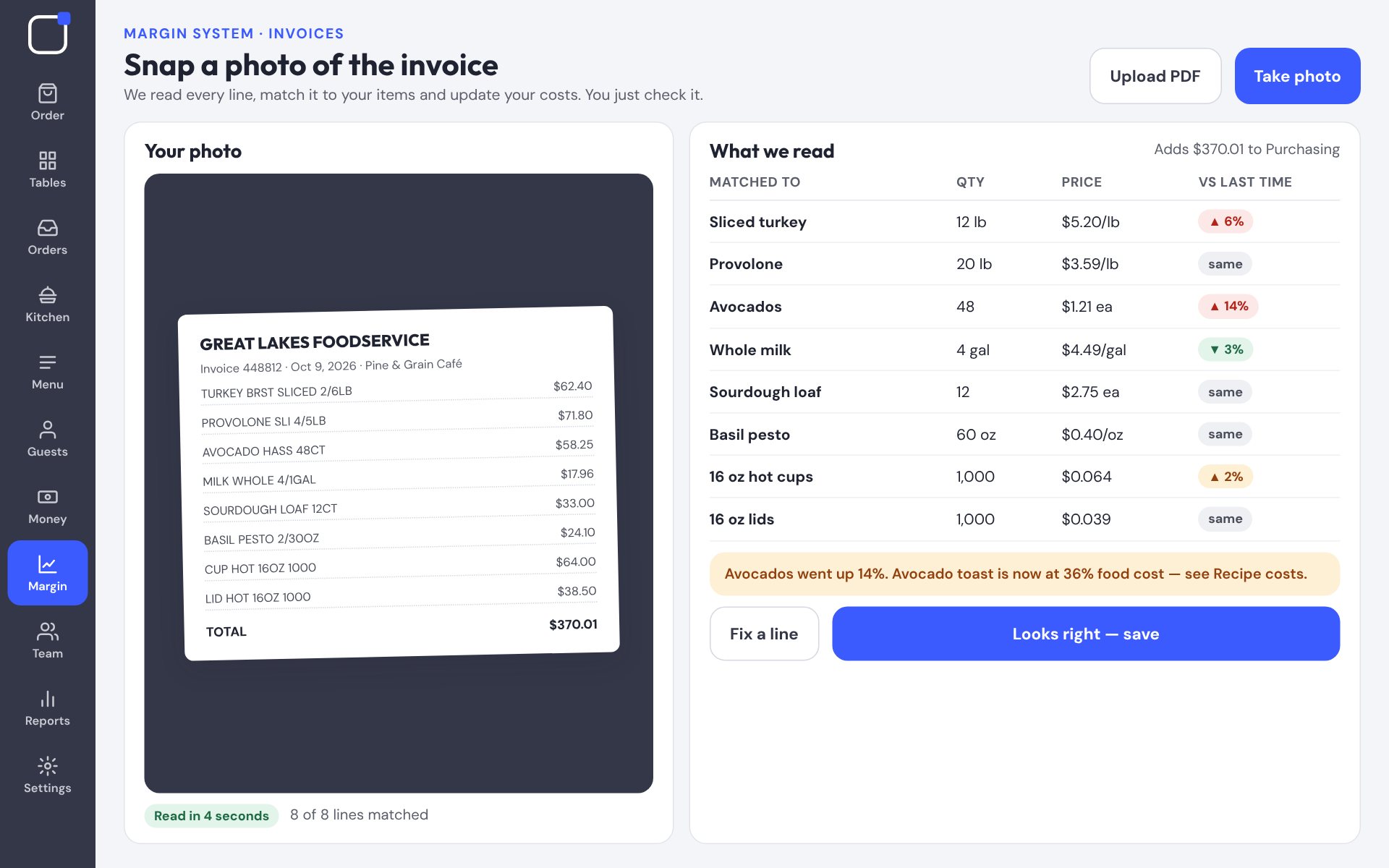
Check what we read
Each line is matched to your items. Price jumps are flagged in red. Tap a line to fix a match.
- 4
Tap “Looks right — save”
Your recipe costs update, and the invoice is added to Purchasing for your books.
Tip: Suppliers that email PDF invoices can send them straight to your Friendly invoice address — no photo needed.
Was this helpful?