The Margin System
Stop guessing your food cost.
Snap a photo of each invoice. Friendly updates your recipe costs, checks every price against your rent, labor and card fees, and tells you what to change.
How it works
Four steps to better margins
- 1
Snap invoices
Take a photo. We read every line and match it to your items.
- 2
Cost every recipe
Ingredient prices flow into recipe costs automatically.
- 3
Enter your bills once
Rent, power, gas, internet, insurance — we show what each item must cover.
- 4
Price with confidence
See the price for the margin you want, using common industry targets.
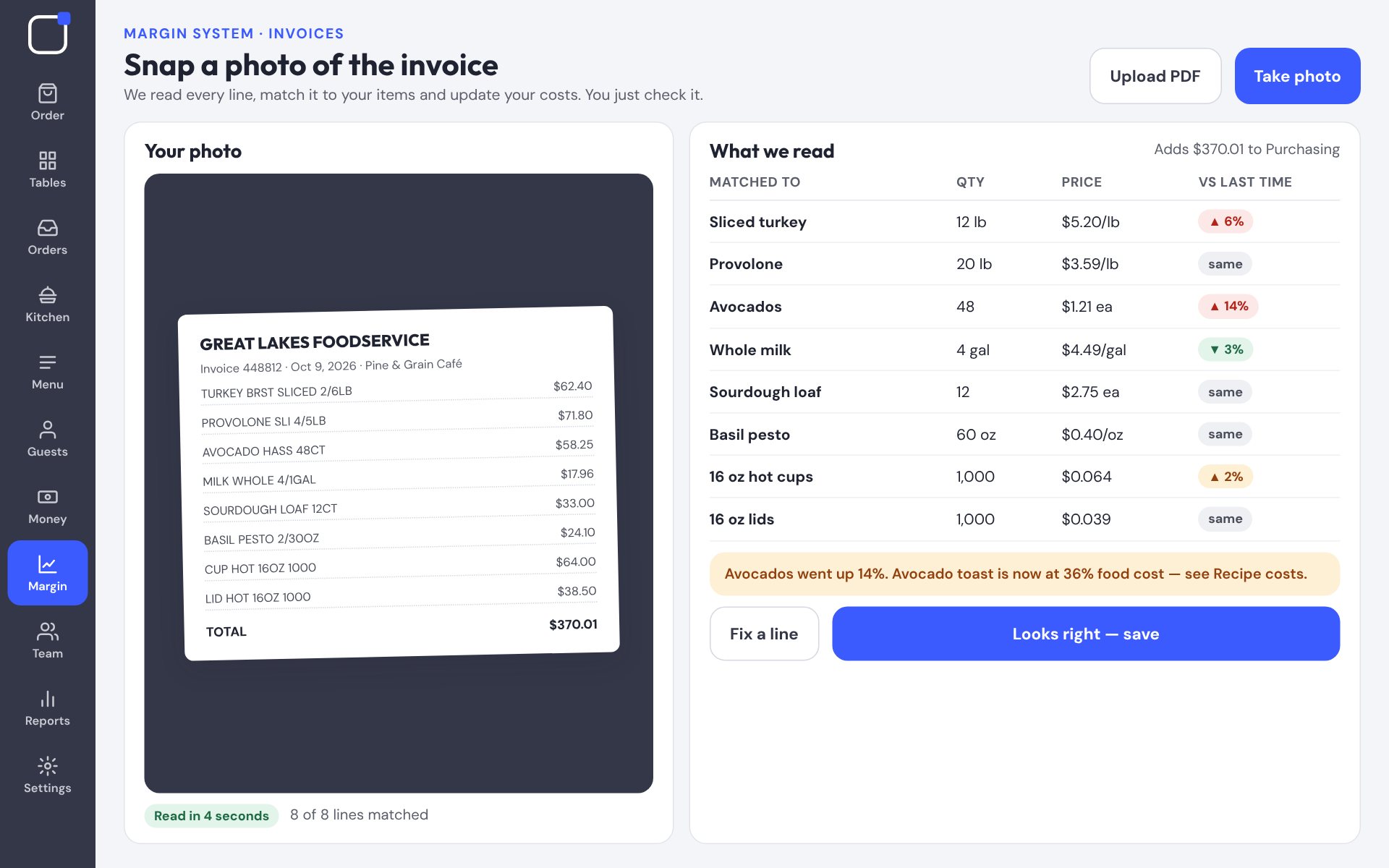
Invoices
Prices update themselves
When avocados go up 14%, you know the same day — and which menu items it hurts.
- Reads photos and PDFs
- Flags price jumps
- Builds your next order
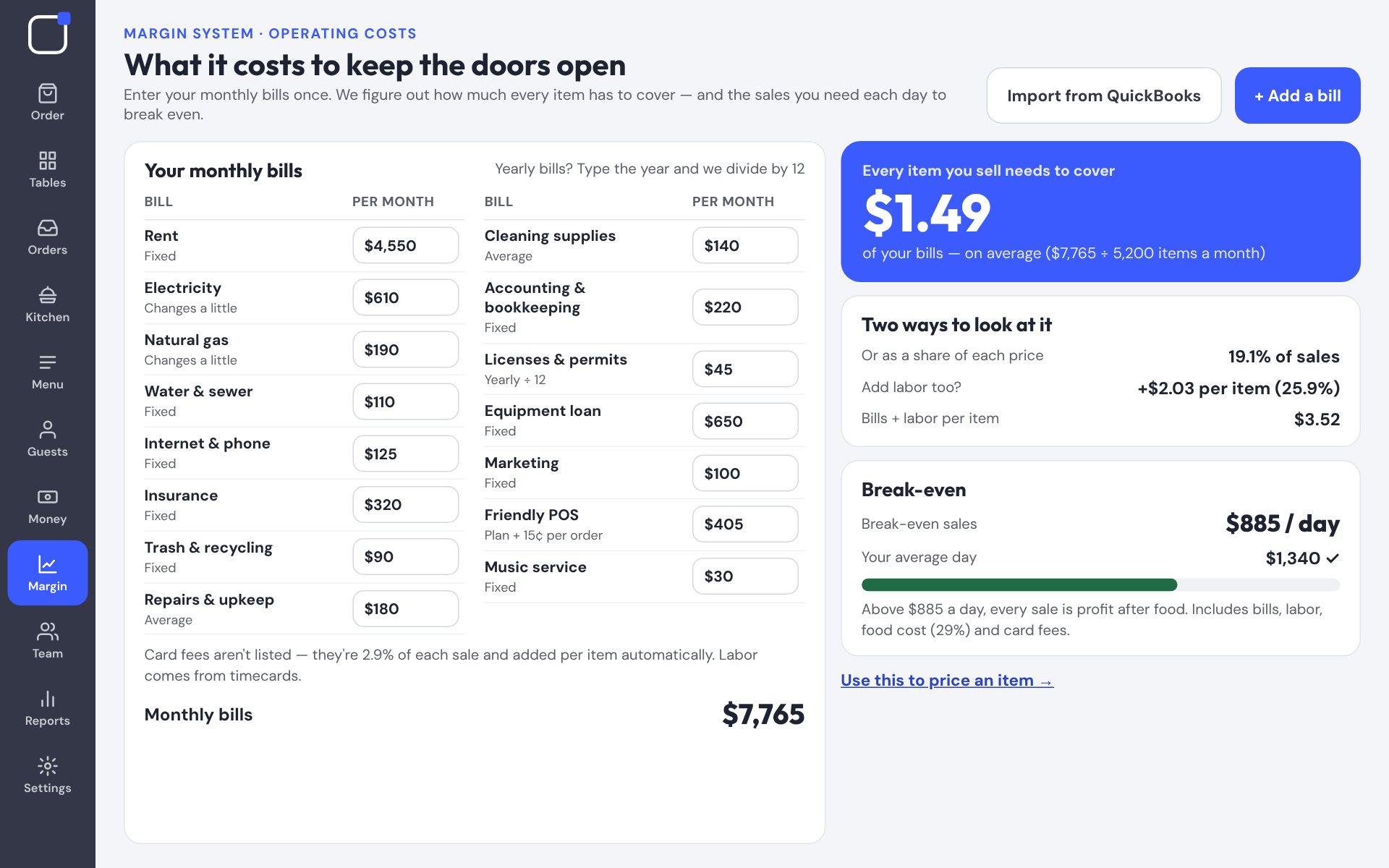
Operating costs
What it costs to keep the doors open
Put in your monthly bills once. See what every item has to cover and the sales you need each day to break even.
- Rent, utilities, insurance, loans
- Average bills per item
- Daily break-even sales
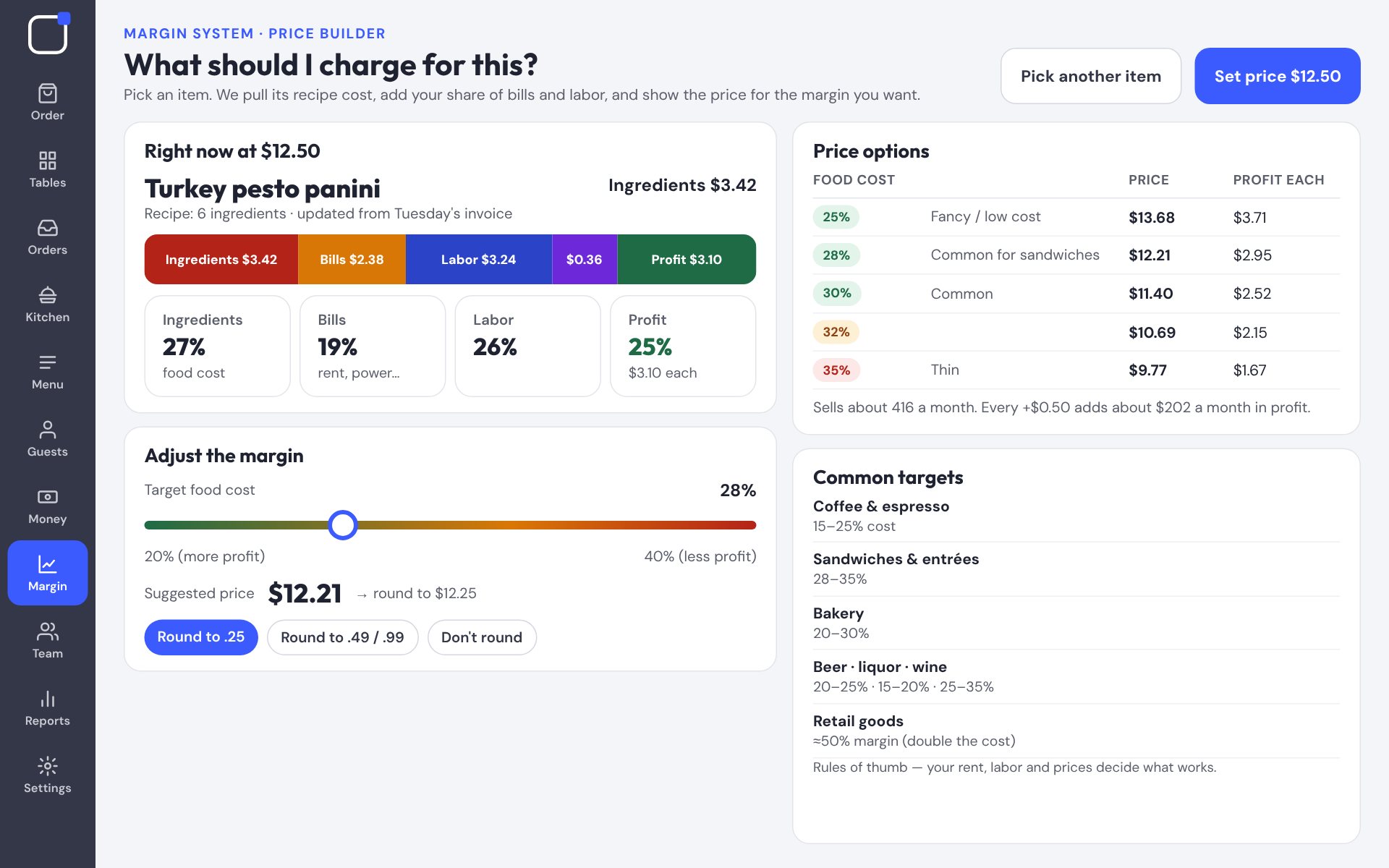
Price builder
What should I charge?
Pick an item and slide the margin. Common targets for coffee, food, bakery, bar and retail are built in.
- Shows where every dollar goes
- Rounds prices the way you like
- Updates register, online and DoorDash together
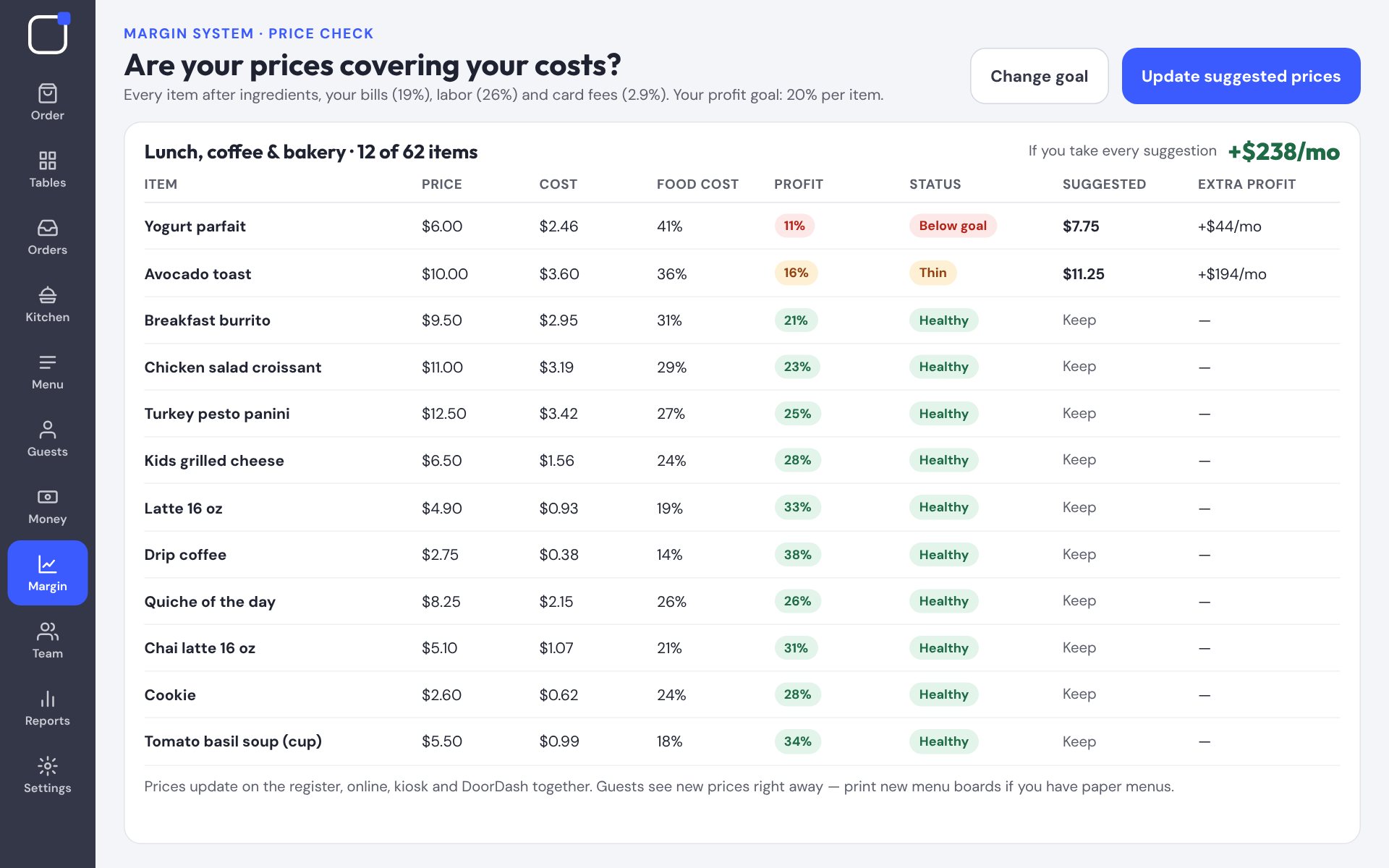
Find the money hiding in your menu.
A 30-minute demo with our Mount Pleasant team — on video or in person.